English
 Arabic
 French
 Spanish
 Portuguese
 Deutsch
 Turkish
 Dutch
Dutch
 Italiano
 Russian
 Romaian
 Portuguese (Brazil)
 Greek
Greek
Custom Flip Top Boxes Stylish and Functional Packaging for Your Business
Other |
2026-04-05 16:39:11
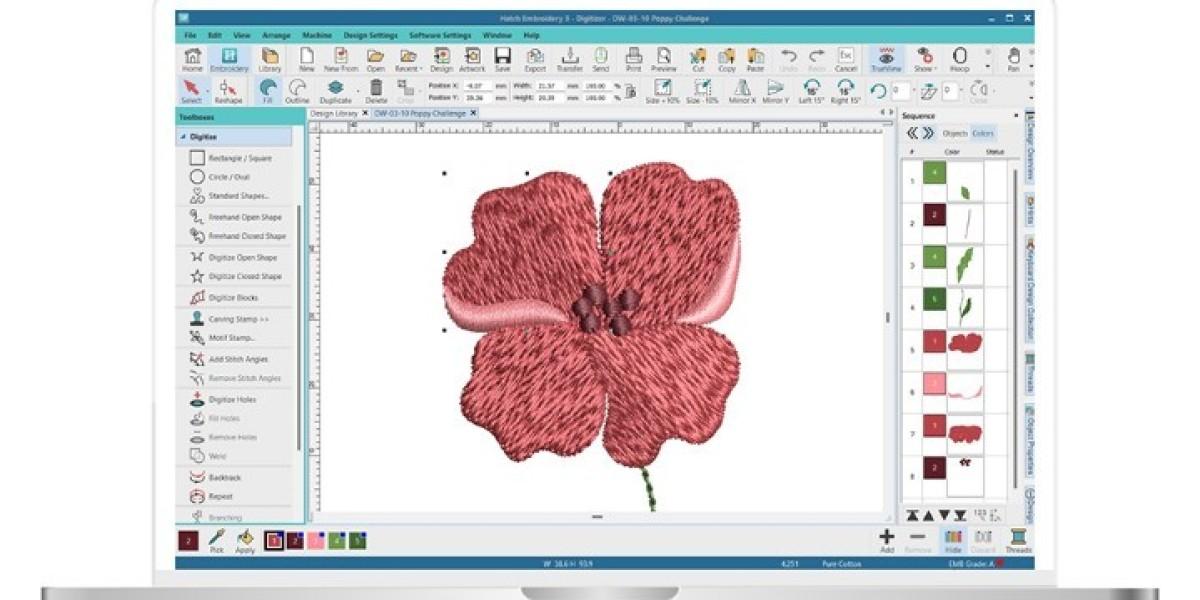
You have a beautiful design saved as a PES file. Your friend sends you a DST. Another client swears by JEF. And your machine? It only reads EXP. Suddenly, you are stuck. That is the format wall, and it is one of the most frustrating roadblocks in embroidery.
Here is the good news: you do not need to buy expensive software just to move a design from one format to another. The Best Free Embroidery File Format Converters are out there, hiding in plain sight. I have tested them, crashed a few, and found the ones that actually work. In this guide, I will show you exactly how to break down those format walls using free tools that anyone can download today. No subscriptions. No hidden fees. Just straight-up solutions.
Every embroidery machine brand wants you to stay in its ecosystem. Brother pushes PES. Tajima pushes DST. Janome pushes JEF. Bernina pushes HUS and EXP. These formats are not interchangeable by default because each company structures stitch data slightly differently.
But here is the secret: underneath the hood, they all store the same basic information. Needle up, needle down, move to coordinates, change thread. The difference is just how each format writes that data. So converting between them is absolutely possible. You just need the right tool to translate.
Think of it like speaking English and Spanish. The message is the same. The words just look different. A good converter is your interpreter.
If I had to pick one free tool to recommend, Ink/Stitch wins every time. It is not a standalone program. It runs inside Inkscape, which is a free vector graphics editor. You install Inkscape first, then add Ink/Stitch as an extension.
Why do I love it? Because it gives you full control. You can import designs in one format, tweak every stitch manually, then export to another format. It supports reading and writing to PES, DST, JEF, EXP, and several others. The learning curve is real—I will not lie to you. But once you get the hang of it, you will never feel locked into a single format again.
The best part? It is completely open source. No trial periods. No watermarks. No begging you to upgrade. Just pure, functional conversion and digitizing.
If you are on a Mac, you know the struggle. Most embroidery software ignores you. StitchBuddy does not. It is a native macOS app that reads a ton of formats and writes out the most common ones.
Here is what it can read: Janome JEF, JEF+, JPX, SEW, Brother PES, PEC, Melco EXP, Tajima DST, Pfaff VP3, KSM, PCS, PCQ, PCD. That is an impressive list. For writing, it handles JEF, PES, PEC, EXP, DST, and PCS.
The free version has a catch: you can only save designs with up to 1,000 stitches. For small logos or simple text, that is fine. For larger work, you will need the paid upgrade. But even the free version lets you preview, edit colors, and convert between smaller files without spending a cent. Try it before you buy it.
Here is one for the tinkerers. Embroidermodder is a free, open source project that has been around for years. It includes a GUI application, a command line tool, and a core library called libembroidery that handles all the heavy lifting.
What makes this special? The command line tool, embroider, lets you batch convert entire folders of embroidery files. If you have hundreds of old designs in one format and need them all in another, you can write a simple script and walk away while it works.
The downside? It is not the prettiest software. The interface feels like it was designed by developers for developers. But if you just need a workhorse that gets the job done without complaining, Embroidermodder delivers.
Sometimes you do not need a full digitizing suite. You just need to open a file, change its format, and get on with your day. That is where lightweight converters shine.
My Editor is a free Windows tool that focuses on viewing and basic editing. It supports multiple formats and includes a 3D preview feature, which is surprisingly handy for spotting problems before you sew. You cannot create new designs from scratch, but for conversion and minor tweaks, it is fast and reliable.
SewWhat-Pro offers a free version with conversion capabilities. It handles batch conversion, which means you can select twenty DST files and turn them all into PES files in one click. The free version has some limitations, but for occasional use, it gets the job done.
Bernina offers ArtLink as a free download for anyone, even if you do not own a Bernina machine. It supports a wide range of formats and allows you to convert between them easily.
The catch? No auto-digitizing. You cannot turn a JPG into stitches with ArtLink. But if you already have an embroidery file in one format and need it in another, ArtLink handles that smoothly. The interface is clean, the hoop selection is extensive, and the price is right.
Need to check a file format while away from your computer? Embroidery Reader on Android lets you open designs from DST, EXP, PCS, PEC, XXX, and others. You can view properties, share files, and convert to images. It does not write embroidery formats, but it is perfect for verifying that a file is not corrupted before you head back to your machine.
TrueSizer from Wilcom runs in your browser. It resizes designs without messing up stitch density and supports PES and DST formats. Not a full converter, but handy for quick adjustments.
You will find websites claiming to convert embroidery files for free. I have tried many of them. Most are sketchy. Some inject malware. Others strip out critical stitch data like underlay and pull compensation.
My advice: avoid online converters unless you trust the source completely. Stick with desktop software you can verify. Your designs—and your machine—will thank you.
Ask yourself three questions before downloading anything.
First, what formats do you actually need? If you only work with PES and DST, almost every tool supports those. If you need obscure formats like CND or XXX, your options narrow.
Second, what operating system are you on? Windows has the most choices. Mac users should start with StitchBuddy or Ink/Stitch. Linux users, Ink/Stitch or Embroidermodder are your best bets.
Third, do you need batch conversion or just single files? For one-off conversions, any tool works. For bulk work, look for command line support or batch processing features.
Always save a copy of your original file before converting. If something goes wrong, you want to go back, not start over.
Test your converted file on scrap fabric before running production. Different formats handle density and underlay slightly differently. A design that looked perfect in PES might sew tight in DST.
Keep your software updated. Embroidery formats evolve slowly, but bug fixes matter. The latest version of Ink/Stitch crashes less than older ones.
Format walls are artificial. Someone built them to sell you software. But you do not have to play that game. With free tools like Ink/Stitch, StitchBuddy, Embroidermodder, My Editor, and Bernina ArtLink, you can move designs between formats without paying a dime.
Start with Ink/Stitch if you want the most control. Grab StitchBuddy if you are on a Mac. Use My Editor for quick Windows conversions. And if you just need to peek inside a file on your phone, Embroidery Reader has your back.
The best part? All of these tools let you keep your money in your pocket. So go ahead. Break down those walls. Convert that file. And get back to doing what you love—making beautiful embroidery.